Clocked
See where your time goes, per project. Start, pause and stop with one click, see your hours and revenue per week and export everything to your timesheet or calendar. No account and no server.
What Clocked does
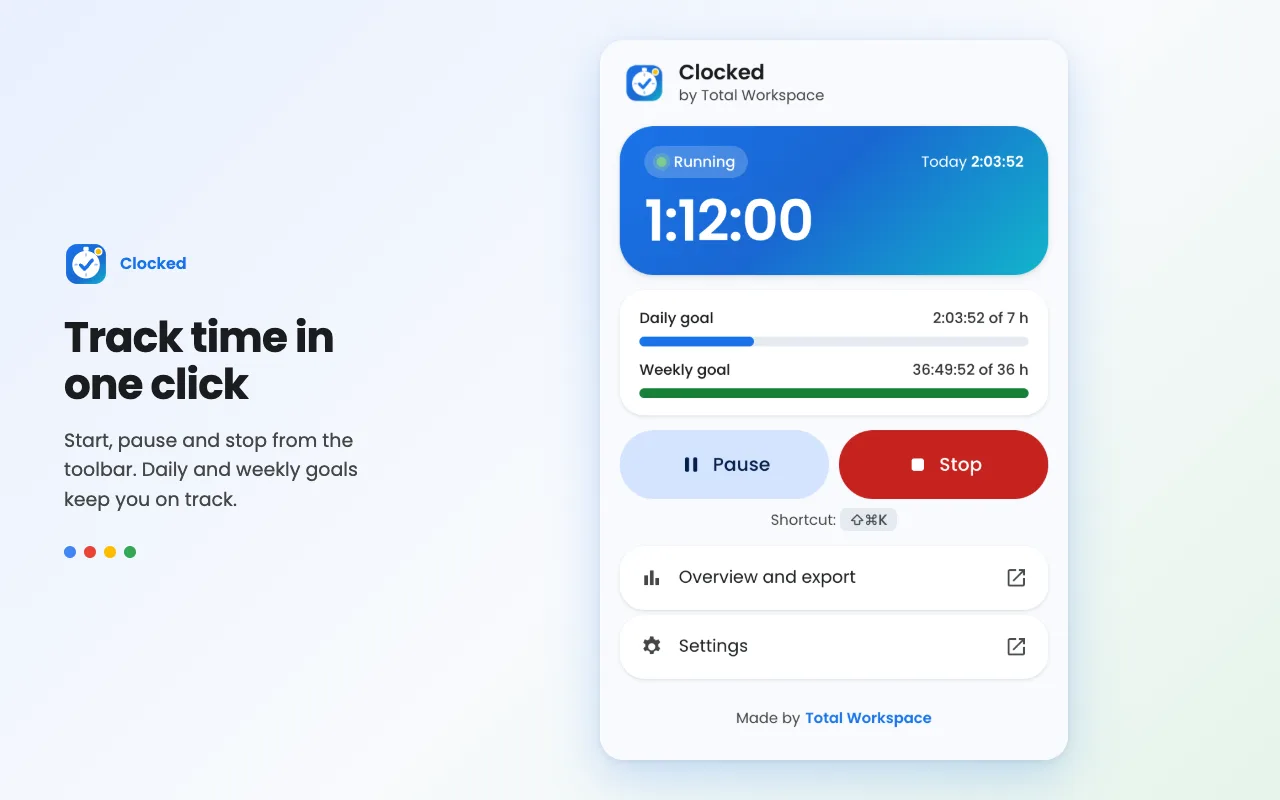
Start, pause and stop
Track your time with one click from the toolbar. Pause and resume at any time, with correct durations even past midnight.
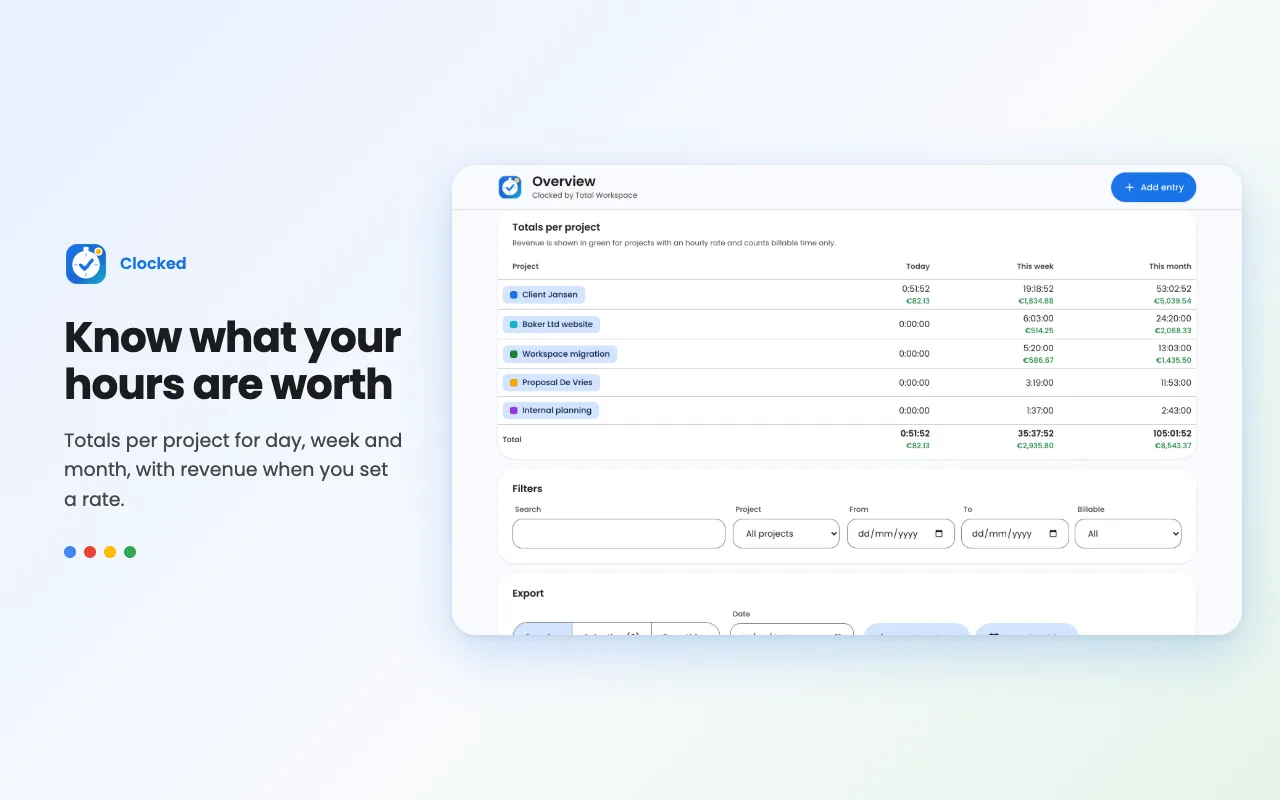
Projects with colour and rate
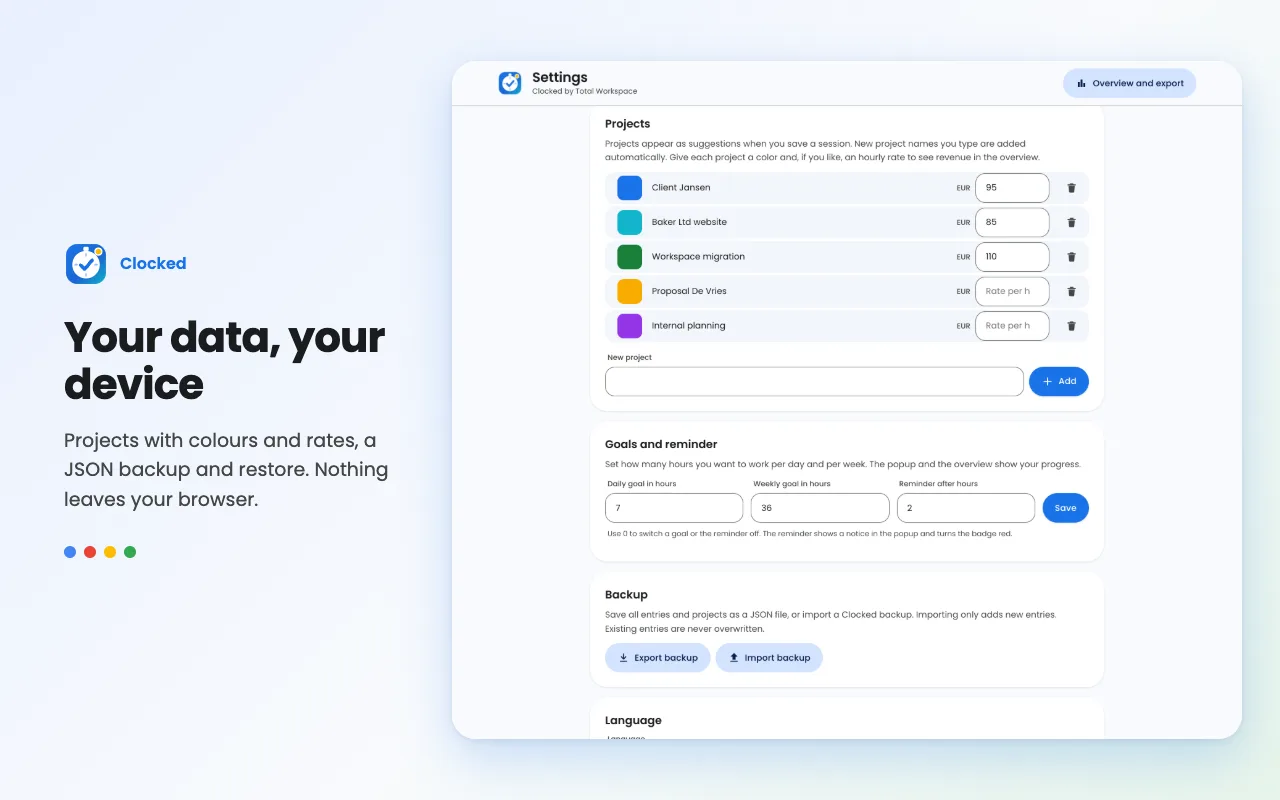
Give every project a colour and an optional hourly rate. Clocked totals your hours and revenue per day, week and month.
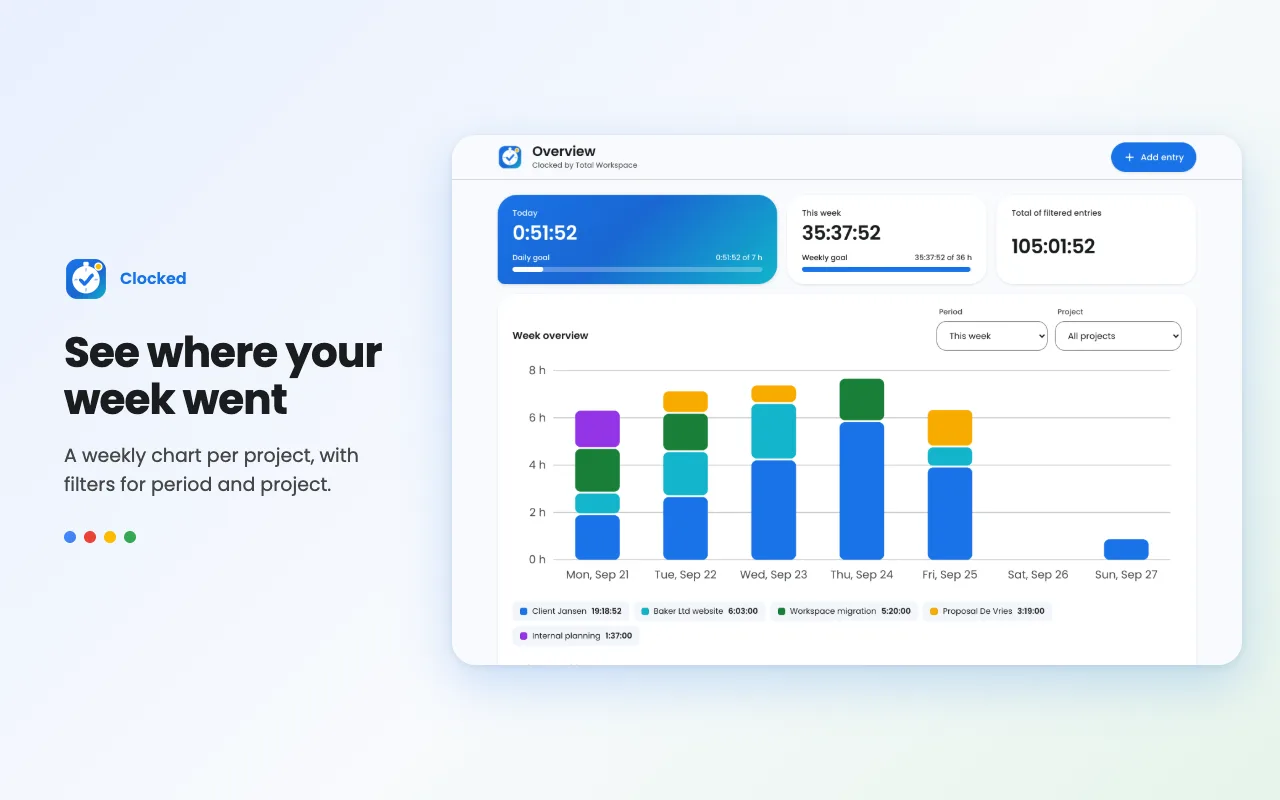
Weekly chart and filters
A weekly overview with a bar chart, filtered by period and project.
Daily and weekly goals
Set a goal in hours and follow your progress with a progress bar.
Export and backup
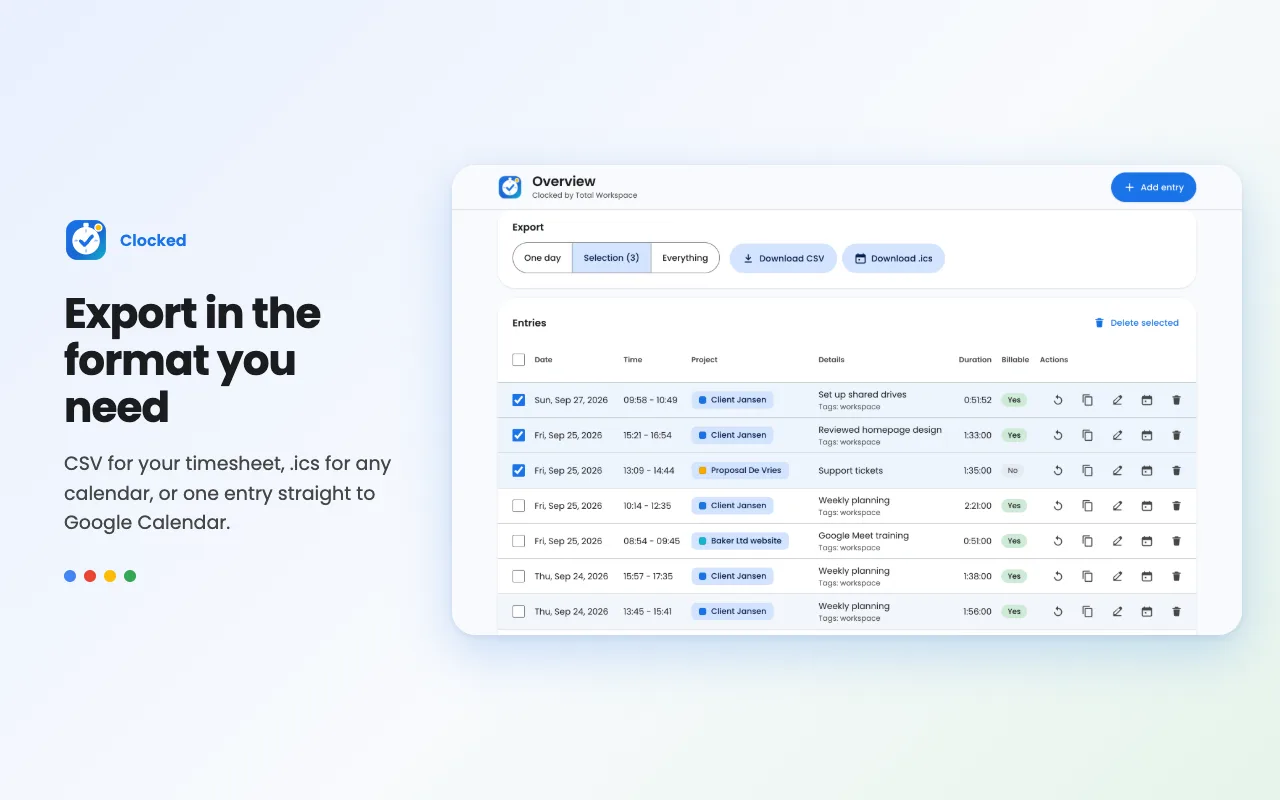
Export to CSV, an .ics file or Google Calendar. Make a JSON backup and restore it safely later.
Long timer reminder
When your timer has been running for a long time you get a nudge, so you never forget to stop.
7 languages
English, Dutch, German, French, Spanish, Portuguese and Hungarian, in light and dark theme.
Everything local
Your data lives only in your own browser. No account, no tracking, only the storage permission.
See it in action
Clocked in one minute
Frequently asked questions
Is Clocked free?
Yes. Clocked is completely free, with no account, subscription or ads.
Where is my data stored?
Only locally in your browser, in chrome.storage. There is no server and the extension sends no data.
Can I export my hours?
Yes, to CSV for your timesheet, to an .ics file or Google Calendar, and as a JSON backup.
Does Clocked work in Microsoft Edge?
Yes. Clocked works in Google Chrome and Microsoft Edge.
Can I set an hourly rate per project?
Yes. With an hourly rate Clocked also calculates your revenue per day, week and month.
Will I lose my data when updating?
No. Updates keep your existing data, and a JSON backup always gives you your own copy.
Your data stays yours
Clocked has no account, no server and no tracking. Your projects and times live only on your own device.
Read the privacy policyPrefer a simple timer that pauses automatically? See SimpleTimer
Want to work smarter with Google Workspace?
Clocked is made by Total Workspace. We help small businesses set up, manage and automate Google Workspace.